
Today, AI-assisted coding has moved beyond its experimental stage and become part of the development process. Artificial intelligence assists in creating boilerplate code, debugging, testing, documentation, and experimentation with technologies.
However, it is necessary to remember that AI for developers does not replace engineering intuition. Even the most advanced tool requires an engineer who knows the architecture, ensures code quality, ensures security, and makes all technical decisions.
The key concept in AI-powered development is not the complete automation of the programming process, but rather acceleration and facilitation.
What Is AI-Assisted Coding?

AI-assisted coding means using AI to help software developers during development.
For example, such a tool can:
The Rise of AI-Assisted Coding: How Developers Are Working Faster
offer code snippets;
complete functions automatically;
clarify difficult code blocks;
design testing scenarios;
help to debug;
create documentation;
recommend options for refactoring.
The most widely used function is AI code completion—the automatic completion of code in the development environment. The tool evaluates the context and offers the next portion of the program.
Another trending idea is AI pair programming, in which the developer communicates with the AI as an intelligent assistant. Rather than seeking an answer on forums, the developer can ask the system a question and receive various implementations.
Some popular ones are:
GitHub Copilot;
ChatGPT for coding;
Claude for coding;
Cursor;
Tabnine;
Codeium;
Amazon Q Developer.
Although these tools differ in functionality, they share the same purpose – assisting engineers at each stage of the development process.
Today’s AI coding assistants are especially helpful when developing large projects, as developers have to become familiar with the code quickly.
Why AI Coding Tools Are Becoming Popular
The popularity of AI coding tools results from changes in modern software development.
Organizations want to make products available for people more quickly than ever before, but the list of application requirements keeps increasing. Developers have to deal with complicated architectures, many integrations, and rapidly changing technologies.
Why use AI in programming:
Solving repetitive tasks
A considerable part of the development process consists of routine activities – coding standard functionality, working with data, developing basic components and making documentation.
Quick prototyping
With AI code generation, teams can quickly validate their assumptions and develop feature prototypes.
Acquaintance with novel technologies
When faced with unfamiliar libraries and frameworks, AI makes it quicker to understand their basics.
Helping with detecting errors
AI debugging tools help analyze error messages and identify possible root causes of problems.
Making the learning process more effective
It is much easier for a novice developer to understand the code if the AI simplifies complex concepts.
Another benefit companies see from using AI in software development is the opportunity to shorten product delivery time. Nevertheless, the true efficiency of AI in software development is realized when it is incorporated into a well-developed development process.
The above assertion has been confirmed through findings from the 2025 DORA State of AI-Assisted Software Development report which indicated that AI performs best in organizations with developed engineering capabilities since artificial intelligence does not replace existing processes but enhances them.
The lack of appropriate architecture, quality assurance, and engineering practices can result in additional work because of artificial intelligence.
How Developers Make Use of AI to Speed Up Their Job
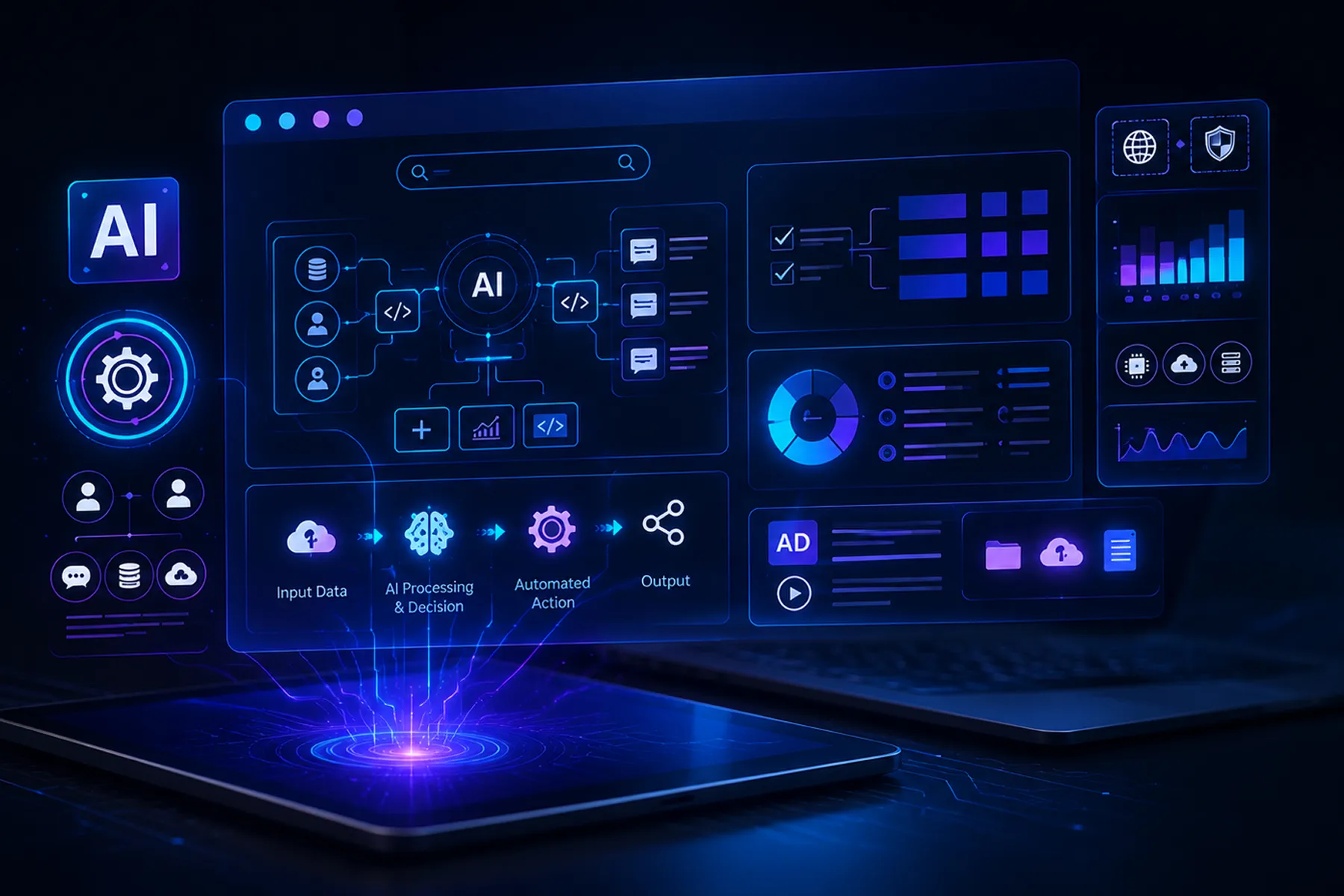
Nowadays, the use of AI in software development is not limited to generating code fragments; there are other applications as well.
Some of the major applications include:
Boilerplate code generation
AI helps with the development of standard code, such as data models, API templates, configuration, and repetitive code.
Code completion
AI code completion allows users to save time by automatically completing common code structures.
Explanation of unfamiliar code
Developers can request an explanation of a certain piece of code, including the purpose of a certain class or function, from the AI system.
Suggesting refactoring options
AI refactoring helps identify a better way to restructure the existing code.
Creating unit tests
Developers receive suggestions for creating test cases.
Detecting bugs
AI debugging is used to detect the cause of a certain runtime error.
Creating API documentation
AI documentation tools aid in developing descriptions of methods, parameters, and setup procedures.
Conversion of code into other programming languages
For example, converting coding logic into another programming language.
Generating queries to the database
AI can be used to generate SQL queries and explain complicated data manipulations.
Code reviews
Artificial intelligence-based code review can detect potential problems in pull requests and flag common mistakes.
The main requirement for such usage of AI is the developer's understanding of the task. AI is more useful as a productivity tool rather than as an independent creator of solutions.
Engineering insight
"At Lampa, we use AI coding assistants every day to automate repetitive work—such as boilerplate generation, test creation, documentation, and initial debugging. However, every architectural decision, security review, and business-critical implementation is still validated by experienced engineers. AI speeds up delivery, but engineering judgment remains irreplaceable." — Borys Barskiy, co-founder Lampa
AI-Assisted Coding Tools: What They Help With
Various types of AI tools perform various tasks. These solutions increase developer productivity through AI but do not eliminate the need for technical supervision.
| Tool Category | What It Does | Example Use Case | Main Limitation |
| Code completion | Suggests code inside IDE | Completing functions or boilerplate | May suggest insecure or irrelevant code |
| Chat-based assistant | Answers questions and generates snippets | Explaining errors or architecture options | Needs clear prompts and review |
| Codebase-aware assistant | Uses repository context | Refactoring or navigating legacy code | Depends on context quality |
| Test generation tool | Suggests unit or integration tests | Creating test cases for functions | May miss real business logic |
| Documentation assistant | Writes README or API docs | Explaining endpoints and setup | Can be generic or inaccurate |
| AI code review assistant | Flags issues in pull requests | Detecting simple bugs or style issues | Cannot replace senior review |
Beyond individual coding assistants, some engineering teams use AI agent orchestration frameworks such as LangGraph, CrewAI, Microsoft AutoGen, or the OpenAI Agents SDK. These platforms coordinate multiple specialized agents—for example, one analyzes the codebase, another generates tests, and a third prepares documentation or draft pull requests—helping automate repetitive engineering workflows while keeping developers in control.
Such solutions help improve developer productivity with AI but do not eliminate the need for technical oversight.
Multi-Agent Development Workflows
In practice, one agent reviews the repository, another produces the tests, a third prepares the documentation, while a fourth conducts an automatic quality check prior to submitting the pull request. Such pipelines are becoming increasingly popular for migration processes, regression testing, security checks, and maintenance of complicated systems.
When AI Is Helpful for Developers the Most
The AI solution proves useful for developers in cases where clear guidelines and restricted context are needed.
The areas where AI is helpful include:
creating CRUD functionality;
creating UI elements;
preparing API clients;
preparing test scripts;
creating documentation;
processing data;
writing SQL scripts;
handling regular expressions;
learning new libraries;
fast prototyping.
So, in web app development, AI helps with creating component structures, preparing server-side functionality, and explaining framework errors.
In web application development, such solutions are especially helpful during prototyping and for maintaining the codebase.
Nevertheless, the success of the process greatly depends on the developer's ability to formulate the task and check the results.
Where AI Coding Assistants Still Struggle
Although the development of AI coding assistants continues, AI still cannot completely replace engineers' decision-making. They perform well with simple tasks but fail badly when a lot of business knowledge, architectural skills, or long-term thinking is needed.
The main challenges are:
unspecified requirements;
complicated business logic;
architectural choices;
security of the system;
application with high load;
code without documentation;
industry requirements;
constraints;
dependencies between components.
AI can offer a working solution with mistakes. For example, it can use old libraries, create nonexistent APIs, or use an insecure algorithm.
AI generates code quickly, but that does not mean it is good, safe, or reliable.
Thus, AI code generation must be regarded as assistance to developers, not as a fully automated substitute for the design process.
Special attention needs to be paid to the use of AI technologies in building financial applications, medical devices, enterprise solutions, and other software subject to strict security standards.
AI Code Generation vs. Human Engineering Judgment
The distinction between code generation and software development can be made in decision-making.
AI is able to:
offer different implementations;
provide function templates;
explain syntax;
detect problems.
At the same time, it is the developer who decides:
which architecture to use;
what trade-offs are reasonable;
what will happen to scalability;
what risks are involved;
whether the solution meets business requirements.
This is exactly why AI-powered development works perfectly in collaboration with professional engineers who employ AI as an additional means.
Professional developers rely on AI to speed up their workflow and take responsibility for the result.
How AI Changes the Developer Workflow
The modern AI development workflow differs from the traditional one in the sense that the developer acquires an additional assistant at each step:
The developer states the problem and defines the behavior of the implemented function.
AI provides alternative implementations.
The engineer examines and modifies the suggested code.
AI helps create test cases.
The developer runs tests locally.
Code gets a mandatory review.
CI/CD processes the changes.
QA tests the system's behavior.
The team analyzes system performance after release.
The fundamental idea here is that AI should become an element of the existing development process, rather than an alternative to it.
For instance, using AI cannot be interpreted as the omission of testing or code reviewing. In addition, the faster the process of generating solutions, the more necessary quality assurance becomes.
AI-Assisted Testing and Debugging
AI software testing is one of the most promising directions of application. AI aids in test creation and analysis much quicker than humans.
Examples of practical use include:
test generation;
identification of additional edge cases;
analysis of failures;
explanation of stack traces;
identification of possible root causes;
generation of test data;
creation of ideas for regression testing;
analysis of bug reports.
Thus, a developer may use AI to understand what caused a test to fail, which dependencies may interfere with it, and which checks should be added.
Nevertheless, one needs to keep in mind that AI test generation is not always enough for proper coverage. Tests may run without problems while still checking an incorrect behavior of the system. Consequently, generated tests should be analyzed by specialists.
In case of complex products, professional software testing services will play an important role in the process since automation is supposed to supplement engineering work.
In mobile products, such approaches are particularly useful when validating user scenarios. For instance, in the context of mobile app development and usability testing case, AI can help analyze test results, group user feedback, identify recurring issues, and accelerate the preparation of test scenarios. However, the final assessment of the app's usability must remain with specialists who take real user expectations into account.
AI and Coding Documentation

Documentation is usually the weak link in development processes. New features are being developed quickly, and there is never enough time to document the changes.
Here comes the aid of AI documentation tools. They allow you to create:
README files;
API descriptions;
installation instructions;
comments inside the code;
changelogs;
descriptions of pull requests;
instructions for onboarding. Notes about the architecture.
For example, if a new developer wants to become accustomed to the project as quickly as possible, they may need a brief explanation of the AI-generated architecture.
But still, this documentation should be reviewed by a person. In case the code was modified, the automatically generated description may no longer be relevant.
AI simplifies the creation of documentation but does not relieve the team of the responsibility of maintaining it.
Impact of AI on Junior Developers and Skills Development
The influence of AI on junior developers is probably the most discussed issue nowadays.
On the one hand, it helps a person learn faster:
It helps them understand complex code.
It gives examples.
It answers questions.
It assists in learning new technologies.
On the other hand, it may happen that novice specialists will simply take ready-made code without comprehending the essence of this technology.
This must be done:
Ask the AI why the code works;
Ask AI to explain the solutions that were used;
Learn about the advantages and disadvantages of different approaches;
Analyze errors on one’s own;
Code part of the logic manually;
Read the official documentation.
It is not enough to use AI as a code generator; it is necessary to use it as an educational tool as well.
It is crucial for the developer to understand the system, not just to quickly obtain ready-to-use code pieces.
AI Coding Risks Engineering Teams Should Manage
Despite increased developer productivity, AI-assisted coding also introduces additional risks. It is important that the teams understand the technology's limitations and have guidelines for using AI tools.
Among those are:
Non-existent functions and APIs;
insecure recommendations;
leakage of confidential code;
licensing problems;
latent bugs;
inadequate testing;
increased technical debt;
inconsistent coding style;
use of outdated dependencies.
Control over the use of AI services is especially critical. The client code, internal documentation, and personal information cannot be sent to these tools without permission.
There are some basic rules that need to be followed before implementing the AI developer tools into the projects:
Verify all changes generated by the AI tool;
Do not send the proprietary code without permission;
Integrate security checks;
Write tests for AI-generated code;
Validate the version of libraries and APIs;
Carry out mandatory code reviews by humans;
Check the AI service usage in critical processes.
Taking the right measures will help the teams use AI developer tools successfully.
Best Practices for Using AI-Assisted Coding in Teams

To derive benefits from AI in software development, companies require a structured process. Engineering teams that have matured in their experience also quantify the impact of adopting AI instead of merely going by subjective perceptions. Apart from the usual delivery KPIs, firms are increasingly monitor AI usage, code acceptance rates, and engineering productivity.
Recommendations:
develop AI usage guidelines;
choose validated tools;
educate developers in prompt engineering;
specify limitations of data usage;
review all AI-generated code;
run automated testing;
implement security scanning;
manually handle architectural choices;
assess effects of AI on product quality.
Effective teams leverage AI for more than just generating code; they use AI for evaluating solutions.
For example, a programmer may request that AI review architecture approaches, discuss problems of the chosen solution, or recommend possible optimizations.
This format helps boost developer productivity with AI without compromising engineering standards.
Impact of AI-Assisted Coding on Speed of Software Delivery
The foremost benefit of AI for programmers is saving time on routine operations. With the increasing adoption of AI by companies, many are now adopting an approach that measures the impact of AI using objective metrics. Some of the metrics that GitHub suggests companies should consider include AI adoption rate, accepted code completions, AI lines of code, coding agents' contributions, and impact on the number of pull requests completed.
Speed increases are usually attained by:
less repetitive boilerplate coding;
faster information lookup;
quicker debugging;
documentation writing;
tests preparations;
faster technology learning;
reduced task context-switching.
However, speed doesn't mean a fast product release in all cases. There are situations when the use of AI introduces extra work:
results must be checked;
code bugs require fixing;
badly designed prompts result in wrong answers;
weak tests don't detect bugs.
Thus, the best results are obtained when AI is part of a well-established development process.
AI-Assisted Coding in Web and Mobile Applications
AI technologies are already used to speed up daily tasks in the web application development and mobile app development.
When developing websites, AI technologies are used to:
generate UI elements;
write backend methods;
build API requests;
spot framework errors;
speed up database transactions.
During mobile app development, AI is used to:
prepare screens;
integrate APIs;
find build errors;
generate tests;
prepare documentation.
For example, within a complex full-cycle mobile app development case, AI can help the team prepare documentation faster, conduct error analysis, and automate routine tasks.
Nevertheless, application architecture, user experience, and product quality are responsibilities of human specialists.
AI-Assisted Coding and Software Quality
There is always a trade-off between development speed and software quality.
AI can make the process better by:
bug detection;
writing tests;
code explanation;
refactoring assistance;
documentation preparation.
On the other hand, the absence of control leads to a decrease in quality:
code maintenance becomes more difficult; invisible dependencies appear;
architecture is broken;
there are security problems.
Thus, AI code review should be seen as an additional layer of software quality control rather than a replacement for experienced software engineers.
For projects that require high-quality standards, it is necessary to integrate AI technologies with professional quality control.
How Lampa Applies AI-Assisted Software Development Responsibly
Proper usage of artificial intelligence technology requires both appropriate tools and correct engineering processes.
In a complex real-time web development project, AI can accelerate the team's work on documentation, testing, error analysis, and repetitive tasks.
At Lampa, AI is part of the daily development workflow rather than a replacement for engineers. Our teams use AI to generate boilerplate code, prepare documentation, create unit tests, analyze legacy code, and speed up debugging. Architectural decisions, security reviews, and business-critical logic always remain under human control.
The company assists companies in:
requirement analysis;
product designing;
web application development;
mobile app development;
backend development;
QA & Testing;
architecture designing;
documentation;
If a company needs to speed up the development process without compromising product quality, Lampa helps with the creation, testing, and maintenance of software solutions.