
AI development starts with the right tech stack — from handling data to deploying models. Today, the pace of adoption keeps accelerating: about 72 % of organizations now use AI in at least one business function, showing how essential AI infrastructure has become for real-world innovation and automation.
In this article, we’ll break down core components, how to pick the best AI frameworks, how MLOps fits in, and practical tips for building and operating a stack in 2026. This guide is for developers, tech leads, and organizations ready to choose or evolve their AI stack with clarity and confidence.
What is an AI Tech Stack?
An AI tech stack is a structured set of tools, libraries, services, and infrastructure you use to build and run AI systems. It’s layered — from data management at the bottom to models and deployment at the top. There’s no single universal stack: needs differ by project and scale.
At its core, the stack addresses several goals:
Data acquisition & processing turns raw inputs into structured, usable data.
Model development covers training, testing, and refining AI models.
Deployment & monitoring keeps models stable and accurate in production.
Infrastructure & orchestration — cloud, on-premise, or hybrid platforms that run everything.
Choosing the right stack affects your performance and scalability. With a good stack, you can iterate fast, avoid bottlenecks, and scale effectively. A mismatched stack often leads to technical debt and slow delivery.
Modern AI stacks are evolving: traditional pipelines focused on batch ML. Today’s systems embrace real-time data, modular frameworks, and MLOps practices that integrate development with reliable operations.
7 Core AI Tech Stack Components
Every strong ai tech stack is built on seven core layers that work together from data to deployment. Understanding these components helps structure AI development correctly, avoid early technical debt, and choose tools that fit real workloads rather than abstract ideas.
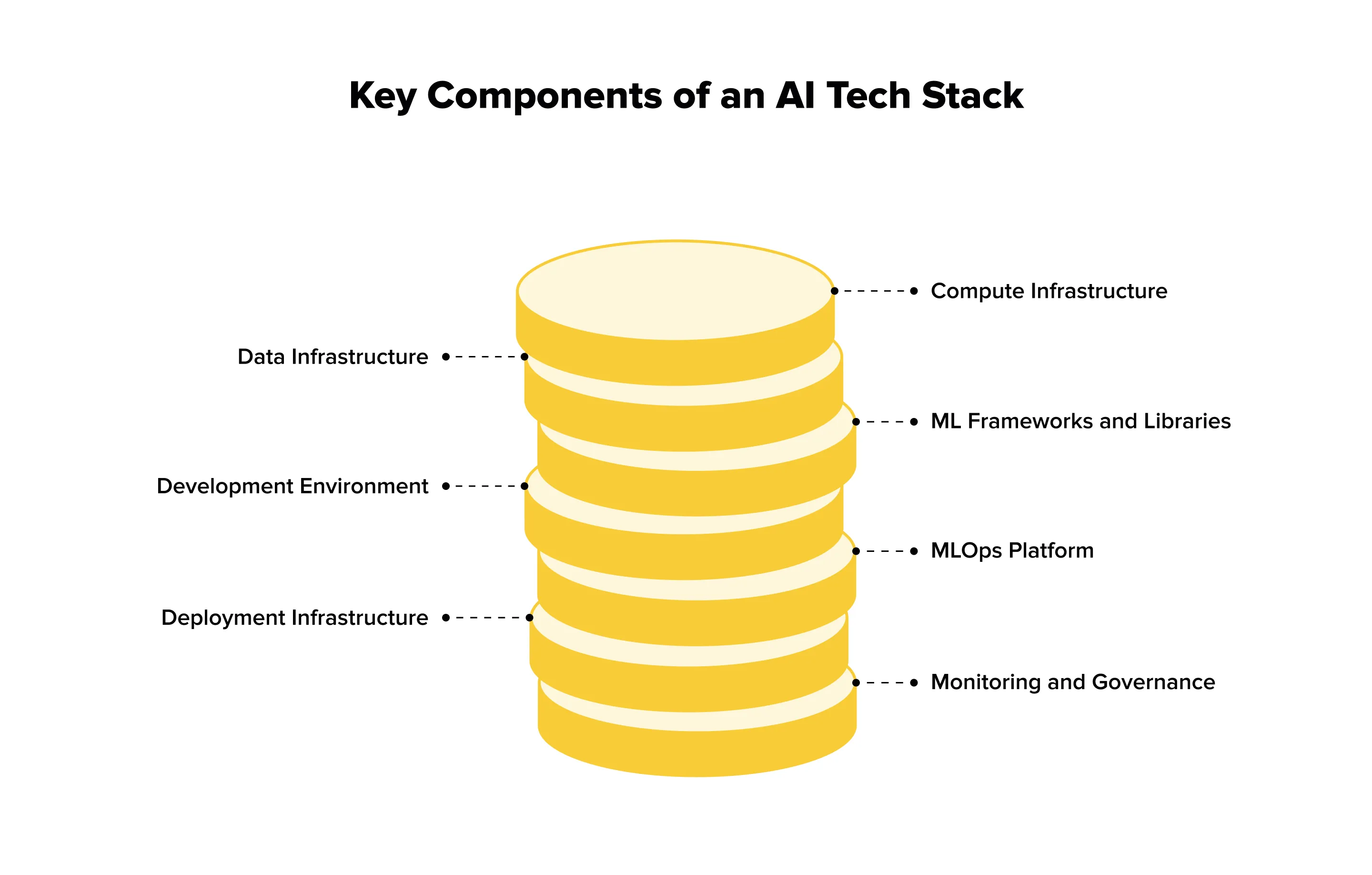
1. Compute Infrastructure
Compute is the physical backbone of any ai technology stack. CPU performs data processing preparation and the task of general computation. GPUs are critical for parallelizable tasks, such as training deep learning models. TPUs (Tensor Processing Units) Google’s TPUs are designed for tensor operations, and are predominantly used at scale.
Most teams start with cloud services like AWS EC2, Google Cloud GPU, or Azure VM because they provide agility and speed of experimentation. On-premises solutions such as NVIDIA DGX systems are ideal when workloads are steady or data privacy is paramount. Hybrid setups involve both types of solutions.
Choosing compute depends on model size, training versus inference needs, budget limits, and privacy requirements. In practice, cloud-first is the most common starting point.
2. Data Infrastructure
Data infrastructure determines how reliable the entire artificial intelligence technology stack will be. Storage can range from databases like PostgreSQL or MongoDB to data lakes such as AWS S3 and warehouses like BigQuery. Ingestion may be batch-based with Spark or real-time using Kafka and Kinesis.
Data quality is critical. Cleaning, validation, version control with DVC, and metadata management protect models from GIGO effects. Poor data always leads to weak model performance, regardless of algorithms.
A solid data pipeline supports large volumes of structured and unstructured data and enforces governance early. The right setup depends on data volume, variety, and velocity.
3. ML Frameworks and Libraries
Choosing the right ML frameworks and libraries is the backbone of AI development. For deep learning, TensorFlow is production-ready and highly scalable, PyTorch is research-friendly with dynamic computation, and JAX offers high-performance for advanced experiments.
Classical machine learning still matters: Scikit-learn covers traditional algorithms, XGBoost excels at gradient boosting, and LightGBM is fast and efficient for tabular data.
Specialized tools address niche tasks: Hugging Face simplifies NLP with transformers, OpenCV handles computer vision pipelines, and spaCy provides robust NLP processing.
When choosing, consider team expertise, learning curves, project goals (research vs. production), community support, and integration with existing systems. Most teams combine frameworks: TensorFlow or PyTorch for deep learning and Scikit-learn for traditional ML.
4. Development Environment
A smooth development environment speeds up AI experiments and makes collaboration easier. Jupyter Notebook is great for writing code interactively and testing out ideas on the fly, VS Code is very flexible with the multitude of extensions available, and PyCharm has a number of Python-specific features that help teams be productive. Experiment tracking is important for reproducibility: MLflow manages the entire life cycle, Weights & Biases enhances collaboration, and Neptune.ai tracks experiments, metrics, and outcomes. Low-code/no-code platforms, such as Google AutoML, DataRobot, or H2O.ai enable non-ML practitioners to develop and deploy models without the need for extensive coding for less technical or smaller teams.
Choosing the right environment depends on team size, skills, and collaboration needs. The goal is faster prototyping, easier iteration, and reproducible experiments that everyone can understand and use confidently. With the right setup, teams can move from research to production seamlessly, track progress accurately, and ensure that experiments can be repeated or scaled up when needed.
5. MLOps Platform
MLOps connects development with production. Its main job is to make AI projects reproducible, reliable, and continuously improving. Think versioning your models, automating training pipelines, running A/B tests, and catching model drift before it causes problems.
Popular tools include Kubeflow (built for Kubernetes), MLflow (handles the full ML lifecycle), AWS SageMaker (fully managed), Azure ML (for Microsoft ecosystems), and Databricks ML (great for data-heavy workflows).
Why it matters: good MLOps cuts deployment time from months to days. It also makes models easier to track, update, and debug. When choosing, consider your cloud setup, team’s DevOps experience, project scale, and budget. The best advice? Start simple and add complexity only as needed.
6. Deployment Infrastructure
Once a model is complete it needs a reliable deployment environment. Cloud platforms, such as AWS Lambda or Google Cloud Run, offer scalability for high traffic applications whereas Docker and Kubernetes simplify and standardize containerized deployment. For early termination or privacy-sensitive applications, edge deployment with TensorFlow Lite or ONNX Runtime is commonly the ideal solution. Modern and high-performance endpoints can be created with the FastAPI API framework, Flask is simple and good for smaller scale projects, and for model-specific deployment there is TensorFlow Serving. Real-time inference, batch processing and traffic consideration should be considered in choosing the deployment.
For teams experimenting with generative AI in retail, deployment considerations are especially critical. These models often require high-memory GPUs or cloud services to generate content like product descriptions, personalized marketing, or virtual try-ons efficiently. Using a combination of cloud and edge deployments can optimize performance and cost, while API frameworks allow retail systems to integrate generative outputs seamlessly into e-commerce platforms, recommendation engines, and customer-facing applications.
7. Monitoring and Governance
Monitoring is essential — models change over time, and even the best-trained AI can degrade in production. Use tools like Datadog or Prometheus to track performance metrics, Arize AI or Fiddler to detect model drift, and CloudWatch or Grafana to monitor resource usage. Keeping an eye on these indicators ensures your system stays responsive and reliable, preventing unexpected failures before they impact users.
Governance is equally important. Tools like IBM AI Fairness 360 help detect biases, while LIME and SHAP provide explainability for model predictions. Compliance tracking ensures your AI follows regulatory requirements such as GDPR or CCPA. Together, monitoring and governance build trust, maintain ethical standards, and protect your organization from operational and legal risks.
Key metrics to track include model accuracy over time, prediction latency, resource costs, and signs of data drift. Good monitoring allows teams to catch problems early, improve models iteratively, and maintain transparency. Without ongoing oversight, even successful AI projects can fail in production, making this step absolutely non-optional.
Choosing the Right AI Frameworks: Practical Comparison
Picking an AI framework can feel overwhelming. Each option has its own strengths, quirks, and ideal use cases. Some make prototyping fast, others shine in production. This guide breaks down the most popular frameworks and specialized tools so you can choose what fits your team, project stage, and goals — without getting lost in hype.
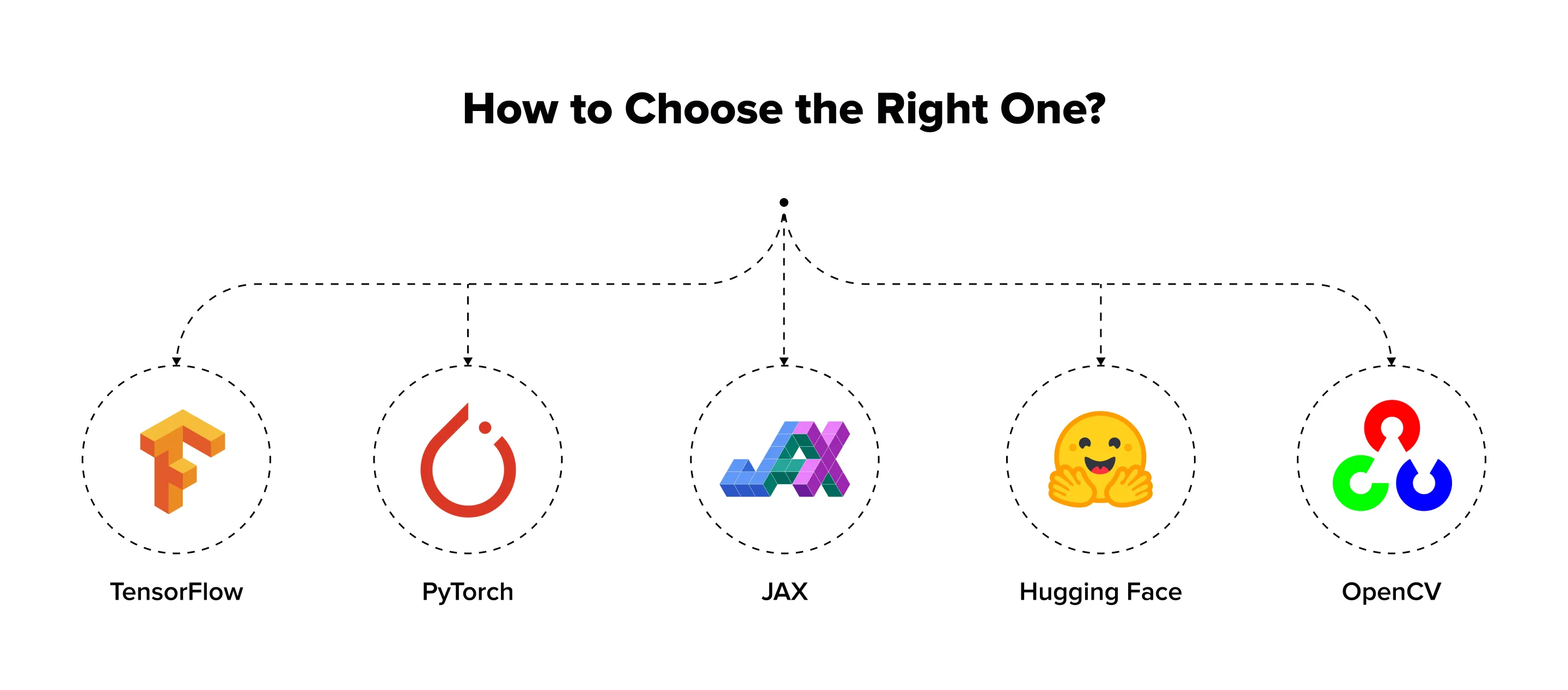
TensorFlow vs. PyTorch vs. JAX
TensorFlow works best for production systems and mobile deployment. Its mature ecosystem includes TensorFlow Serving and TensorFlow Lite, making it ideal for scalable applications. Syntax can be verbose, and the learning curve is steeper, but companies like Google, Uber, and Airbnb rely on it. Use TensorFlow when building production-grade systems or targeting mobile/edge devices.
PyTorch excels in research, rapid prototyping, and dynamic models. Its intuitive API, dynamic computation, and strong community simplify experimentation and debugging. Deployment tools are less mature, but improving. Facebook/Meta, Tesla, and Microsoft often use PyTorch for flexible and research-focused projects.
JAX offers maximum performance and composability, suited for high-end research. It is newer and has a smaller ecosystem, requiring comfort with functional programming. DeepMind and research labs use JAX when performance is critical.
Specialized Frameworks
For NLP, frameworks like Hugging Face Transformers simplify fine-tuning pre-trained models, while spaCy is suited for production pipelines. In computer vision, OpenCV handles classic CV tasks, and Detectron2 focuses on detection and segmentation. For traditional machine learning, Scikit-learn is comprehensive and well-documented, and XGBoost performs strongly with tabular data.
Decision Framework
Consider your team’s expertise, project phase, and deployment targets. Research often benefits from PyTorch, while production may favor TensorFlow or JAX. Mobile projects call for TensorFlow Lite; web deployment can combine ONNX with any framework. A larger community provides more resources, and integration with existing tools is key.
You are never fully locked in. Many teams start with PyTorch for research and later move models to TensorFlow for production. There is no universal “best framework”— only the one that fits your project, team, and goals.
MLOps: Bringing AI Development Workflows to Production
Many AI initiatives never make it past experiments. Recent industry research shows that around 80% of AI projects fail to reach full-scale production, often stalling after pilots or internal demos. The main reason is not model quality, but the lack of operational discipline. MLOps exists to close this gap and turn experiments into reliable, scalable systems.
At its core, MLOps answers a simple question: what happens to a model after training ends?
It defines how machine learning moves from experiments into real systems and stays usable there. MLOps connects model development with deployment, monitoring, and long-term maintenance. By blending ML workflows with DevOps and data engineering, it helps teams keep AI systems reproducible, observable, and stable outside notebooks.
Some teams treat MLOps as tooling. That’s a mistake.
In practice, it works only when a few core ideas are in place. Automation removes fragile manual steps from training and releases. Monitoring reveals accuracy drops, data drift, and silent failures once models face real users. Versioning keeps track of models, datasets, and configurations as they evolve. Collaboration breaks down the usual walls between data science, engineering, and operations.
Tooling supports these ideas, but never replaces them. MLflow gives flexibility and control through open-source workflows. Kubeflow fits teams already running Kubernetes at scale. SageMaker makes sense for organizations deeply embedded in AWS. Azure ML aligns naturally with Microsoft and .NET environments. Databricks stands out when large volumes of data and Spark pipelines dominate the stack.
For many organizations, this still isn’t enough.
Real systems come with legacy platforms, compliance rules, and infrastructure constraints. That’s why teams often turn to specialists to design custom MLOps pipelines that integrate smoothly with existing environments. At Lampa, we build MLOps architectures tailored to real production needs, so scaling the product doesn’t mean fighting the system.
Getting MLOps right doesn’t require perfection. Start small. Version everything early. Monitor models as soon as they go live. Automate tests beyond training. Write things down while decisions are fresh. The usual failures come from the opposite approach: early overengineering, ignored drift, isolated teams, and treating AI like static software.
Artificial Intelligence Tech Stack for Different AI Use Cases
One size doesn’t fit all. Different AI applications require different tech stack configurations to meet performance, latency, and scalability requirements. Here’s an overview of optimized stacks for common use cases.
Use Case 1: NLP/Text Applications (Chatbots, Sentiment Analysis)
For NLP tasks like chatbots or sentiment analysis, the recommended stack combines Hugging Face Transformers with either PyTorch or TensorFlow. Cloud GPU instances (AWS p3, Google Cloud GPU) handle training and inference efficiently. Text databases such as Elasticsearch and vector stores like Pinecone or Weaviate support semantic search and fast retrieval. Deployment is typically done via FastAPI and Docker, with Kubernetes for scaling. Custom monitoring tracks response quality and latency.
This approach works because Hugging Face’s pre-trained models drastically reduce training time, cloud GPUs accelerate inference, and vector databases enable fast semantic queries. Teams can deploy production-ready NLP applications without building models from scratch.
Use Case 2: Computer Vision (Image Recognition, Object Detection)
Computer vision tasks are resource-intensive and require frameworks that handle both heavy computation and flexibility. TensorFlow and PyTorch are the most common choices, often combined with OpenCV for preprocessing images, resizing, normalization, or data augmentation. Choosing the right framework affects training speed and inference performance.
GPU-heavy cloud instances, such as AWS EC2 with NVIDIA GPUs, or edge devices are essential for running models efficiently, especially in real-time applications. Data is usually stored in cloud storage solutions like S3 and sometimes delivered via a CDN to reduce latency for end-users.
Deployment typically relies on TensorFlow Serving or ONNX Runtime, ensuring that models are production-ready and scalable. Tools like CVAT for annotation and Roboflow for managing datasets and pipelines simplify the process of preparing training data, which is often the most time-consuming step.
This stack is effective because computer vision models require substantial compute power. Deploying to edge devices with TensorFlow Lite reduces latency, while specialized tools accelerate annotation and preprocessing. Teams can iterate faster, test different model architectures, and deploy with confidence, making it suitable for applications like image recognition, object detection, or autonomous systems.
Use Case 3: Recommendation Systems
Recommendation systems rely on frameworks like Scikit-learn, TensorFlow Recommenders, or LightFM. The infrastructure often uses distributed computing with Spark to handle large-scale datasets, along with cloud databases to store user interactions and product features. Feature stores like Feast or Tecton are critical for managing complex user-item relationships, ensuring that features are consistent and up-to-date for both batch training and real-time inference.
Deployment combines real-time APIs for serving personalized recommendations with batch jobs that retrain models periodically. Monitoring is crucial — metrics like click-through rate, conversion, or A/B test results help teams assess model performance and make iterative improvements.
This stack works because recommendation engines require both low-latency inference and periodic retraining. Feature stores simplify handling complex, high-dimensional data, enabling personalized recommendations at scale. By integrating these tools, teams can maintain responsive, accurate systems that improve over time, from e-commerce product suggestions to media content recommendations.
Use Case 4: Generative AI (Content Creation)
Generative AI for text, images, or other content often uses Hugging Face Transformers, Stable Diffusion, or APIs like OpenAI. High-memory GPUs (A100, H100) or cloud API services provide the needed compute. Data includes large text or image datasets, sometimes stored in vector databases. Deployment uses API wrappers, with rate limiting and content filtering to ensure safe output. Monitoring tracks output quality and costs, especially for API usage.
This approach is effective because generative models are resource-intensive. For many teams, using APIs from OpenAI or Anthropic is more cost-effective than self-hosting, while still enabling high-quality content generation.
Selection Framework
Choosing the right AI stack depends on a few key things.
Speed needs: Do you need results instantly or is batch processing enough?
Data size: Are you working with small datasets or large-scale data?
Budget: Should you use cloud APIs or host models yourself?
Team skills: Which tools and frameworks can your team handle?
Rules and regulations: Does your solution follow privacy and industry requirements?
Most real projects mix different use cases. A modular stack works best. Build pipelines that can process text, images, and recommendations in layers. Reuse infrastructure when possible, and pick tools that fit each task.
Building Production-Ready AI Solutions: Practical Guide
Moving AI from experiments to real-world products is more than just training models. Production-ready solutions need the right infrastructure, deployment processes, monitoring, and maintenance practices. This guide walks you through the steps to take AI projects from prototypes to reliable systems that perform consistently in production.
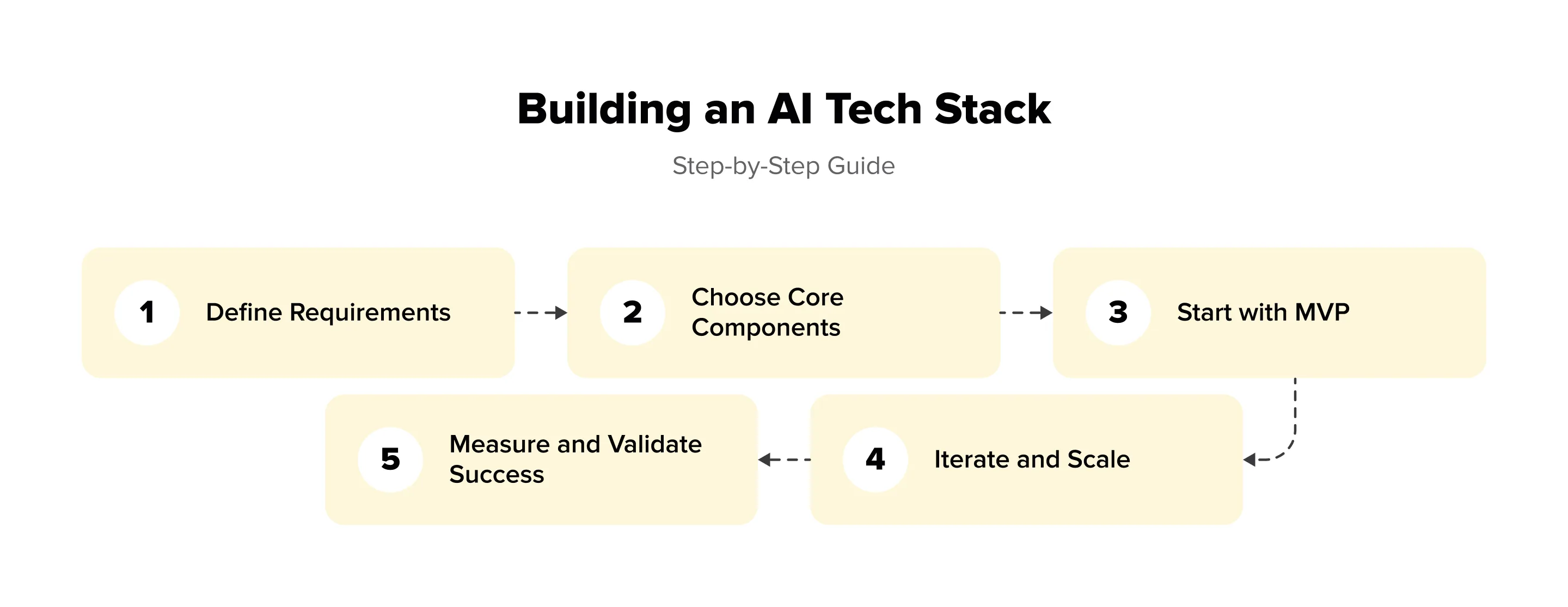
Step 1: Define Requirements
Before touching code, it’s worth slowing down and defining the real goal. A production-ready AI system always starts with the problem, not the model.
Be clear about the use case — whether it’s NLP, computer vision, or recommendations. Think about scale early, because an AI solution for a few hundred users is very different from one built for millions. Budget matters too: infrastructure, tools, and skilled people add up fast. Performance and latency expectations should be realistic, and compliance or security limits must be known upfront. By the end of week one, you should have a short requirements document that fixes the use case, scale, and constraints.
Step 2: Choose Core Components
After the requirements are fixed, attention shifts to the backbone of the solution. Compute usually comes first, and at this stage cloud platforms make sense because they allow quick experiments without heavy upfront costs. Framework choice should feel natural for the team: a familiar tool speeds up development and reduces errors. Data infrastructure must match reality, not ambition — small or messy datasets don’t need complex systems. For MLOps, a lightweight setup is enough in the beginning. Tools that integrate well with each other save time and avoid friction later.
Step 3: Start with MVP
At this stage, the goal is not scale but validation. The MVP should prove that the entire AI pipeline works together in real conditions. A single model, a basic data flow, and a simple deployment are usually enough to reveal most issues. Real data is essential here — it exposes latency problems, unstable predictions, and gaps in data quality much faster than synthetic tests.
Focus on clarity rather than perfection. The MVP phase is about understanding limits and trade-offs, not hiding them. Everything that works — and everything that doesn’t — should be written down. These notes will guide future decisions and prevent repeated mistakes.
Key elements include:
one core framework for training and inference,
a minimal data pipeline that is easy to inspect,
straightforward deployment (for example, a lightweight API with containers),
basic metrics to measure performance and stability.
By the end of this phase, you should clearly see whether the chosen stack can support the use case.
Step 4: Iterate and Scale
After the MVP proves it can work in real conditions, scaling should be deliberate and calm. Growth is driven by usage, not by plans made months earlier. Each change in the system must solve a concrete problem that has already appeared, whether it’s slow inference, unstable predictions, or painful manual updates.
Automation becomes relevant only when repeated tasks start stealing time from the team. Monitoring turns into a necessity as soon as data and user behavior begin to change, because even strong models degrade without warning. CI/CD pipelines make sense when updates become frequent and risky, allowing changes to reach production safely. Infrastructure should expand gradually, following actual traffic and data volume instead of worst-case scenarios.
This step is less about adding tools and more about discipline. Controlled iteration keeps the system reliable, limits technical debt, and makes future improvements easier to implement.
Key Success Factors
AI projects move faster when the foundation stays simple. A minimum viable stack reduces friction, shortens feedback loops, and helps the team focus on solving the actual problem instead of maintaining complex infrastructure.
Documentation often feels secondary, but it quietly shapes long-term success. When technical decisions are recorded with clear reasoning, onboarding becomes smoother and future changes are easier to justify. This is especially important as teams grow or ownership shifts.
Failure is not an edge case in AI systems. Models drift, data quality drops, and assumptions expire. Monitoring and rollback mechanisms turn these failures into manageable events rather than costly outages. Planning time and budget for iteration acknowledges this reality and prevents stalled progress later.
Finally, AI works best when it’s not isolated. Alignment between engineering, product, and business teams keeps development grounded in real value. Trying to build a “perfect” stack from day one is a common trap. A working system that evolves over time almost always wins.
Common Mistakes and How to Avoid Them
Many AI teams fail not because of weak ideas, but because they skip fundamentals. One common mistake is overengineering. Teams spend months building complex MLOps pipelines before a model proves value. The fix is simple: start with an MVP. If infrastructure work drags on while models don’t improve, that’s a warning sign.
Another issue is ignoring data quality. Fancy models cannot fix poor inputs. In practice, successful teams spend roughly 80% of effort on data and 20% on models. The rule still holds: garbage in, garbage out.
Hype-based choices also cause trouble. Adopting the latest framework without evaluation leads to friction. Always ask: does the team understand it, and does it solve a real problem?
Many projects lack a production plan. Models live in notebooks, while deployment is an afterthought. Think about serving, latency, and integration from day one.
Finally, silos and missing monitoring slow everything down. Involve DevOps early and track accuracy, latency, data drift, and costs. Skipping these basics almost always leads to failure.
Conclusion
Building the right AI tech stack is never about following trends or copying what others use. It’s a practical balance between modern technology and real constraints: team expertise, data quality, infrastructure limits, and production requirements. Each layer of the stack — from data pipelines to MLOps — must solve a concrete problem, not add complexity. When tools are chosen without context, they slow teams down instead of helping them scale. At Lampa, we work closely with organizations to design and implement AI tech stacks that fit their goals and realities. From framework selection to production-ready MLOps pipelines, we help turn promising experiments into reliable systems that deliver measurable business value.